Connect your Author-it documentation workflows with XTM’s translation management platform. Streamline content localisation from creation to publication while maintaining version control and reducing manual handoffs between teams.










Transform how your technical writing team handles multilingual content. Our Author-it integration eliminates the friction between content creation and translation management.
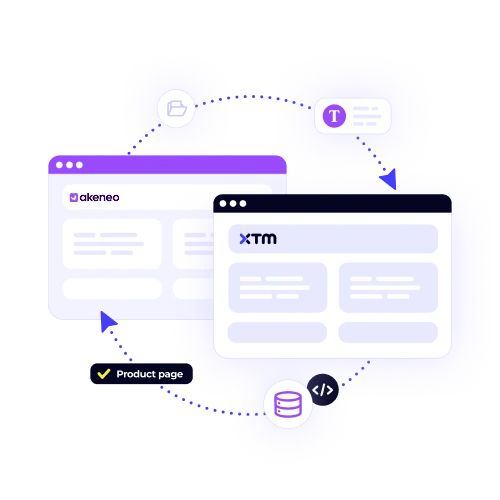
Push your Author-it projects directly to XTM without manual exports or file juggling. Changes sync automatically so translators always work with the latest version.

Maintain your document hierarchy, styles, and conditional text settings throughout the translation process. What goes out comes back exactly as intended.
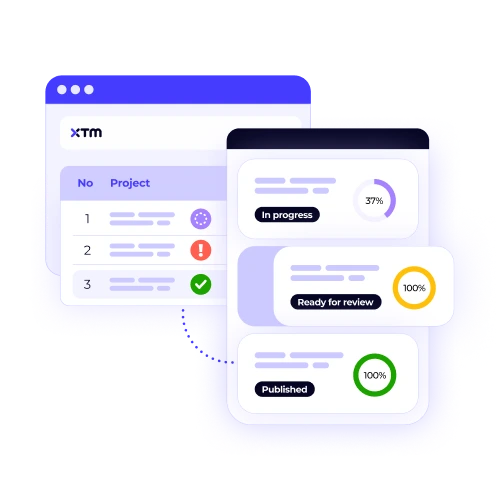
Track translation progress for each Author-it topic and section. Know exactly which content is ready for review and which needs attention.
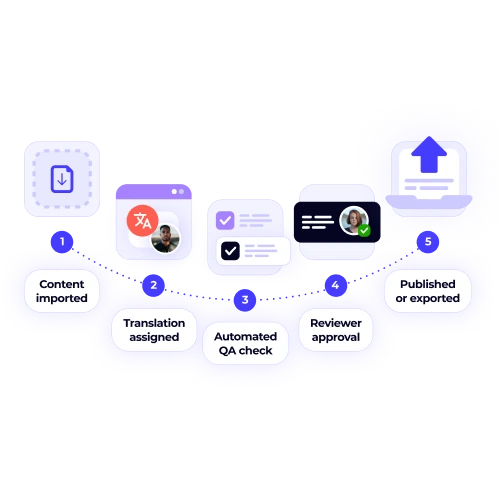
Translated content flows back into Author-it with proper formatting intact. Publish multilingual documentation faster than ever before.
Connect Author-it with XTM in three simple steps. No technical expertise required.

Deepak Nagabhushana
Staff Localization Project Manager, GoTo

Dominic Pemberton
VP of Content, RS Group

Alex Katsambas
Senior Head of Localization Services, FARFETCH

Vincent Rigal
CAT Tools Products Owner, Acolad

XTM is the translation management platform that connects your entire localisation workflow.
Beyond Author-it integration, XTM handles every aspect of translation management from project setup to final delivery. Connect with 50+ tools your team already uses.
Reuse previous translations automatically
Built-in checks catch errors before delivery
Custom processes that fit your team’s needs
Translators, reviewers, and managers work together seamlessly
Track costs, timelines, and quality metrics
SOC 2 Type II, ISO 27001, and GDPR compliant

Most teams are able to complete the Author-it and XTM integration in less than 30 minutes. The process is straightforward, and our support team provides step-by-step guidance to ensure everything connects smoothly. If you prefer, our technical team can also handle the configuration for you, so you can start translating the same day without technical delays.
Yes. The integration gives you full control over what content is sent for translation. You can choose to send individual topics, specific sections, or entire projects depending on your needs. This flexibility is especially useful if you want to translate only certain manuals, product updates, or customer-facing content without localising your entire documentation library.
Absolutely. The integration fully supports Author-it features such as conditional text, variables, and cross-references. These elements are maintained throughout the translation process, ensuring your multilingual content works exactly like the source documentation. This is especially valuable for technical documentation that uses conditional publishing rules or variable-based content.
Your formatting remains intact from start to finish. Styles, tables, lists, headings, and custom layouts transfer to XTM and return unchanged after translation. You don’t need to spend time fixing formatting or reapplying styles, which means your final translated documentation looks and functions exactly as intended.
Yes. XTM is designed for collaboration, allowing multiple translators, reviewers, and project managers to work on your Author-it content at the same time without conflicts. This parallel workflow reduces turnaround times and makes it easier for distributed teams to manage large documentation projects efficiently.
XTM automatically builds and applies translation memories (TMs) to your Author-it projects. Repeated phrases, sentences, and sections are translated consistently across documents, while also reducing the cost of future projects. Over time, your TM becomes more robust, improving both speed and quality for ongoing localisation.
No, there are no limits. You can connect multiple Author-it installations and send as many projects as needed through the integration. The only limits are based on your XTM subscription plan, which scales to support everything from small documentation sets to enterprise-level content libraries.
The integration works directly with Author-it’s native file format, so you don’t need to export content into different formats before translation. This eliminates the risk of formatting issues, reduces manual handling, and saves time. Translations flow directly back into Author-it, ready for publishing without extra steps.
Dig deeper into how XTM delivers faster localization, greater control, and real ROI—so you can make the right call for your team.