Seamlessly connect Azure Repos with XTM’s translation management platform. Automate your localisation workflow and push translations directly back to your codebase without breaking your development cycle.












Skip the manual file exports and email chains. Our Azure Repos integration keeps your translations in sync with your development process.
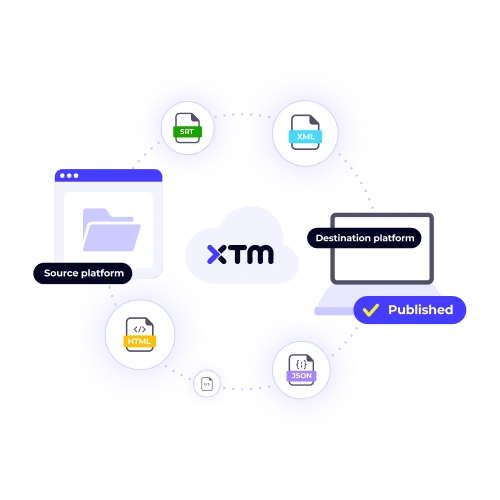
Pull source files directly from your Azure repositories. No more manual uploads or version control headaches. XTM monitors your repos and syncs new content automatically.
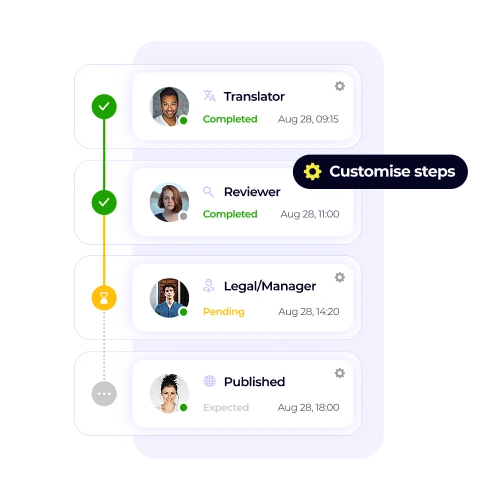
Your dev team keeps working as usual. Translations happen in the background and get pushed back to the right branches when they’re ready.
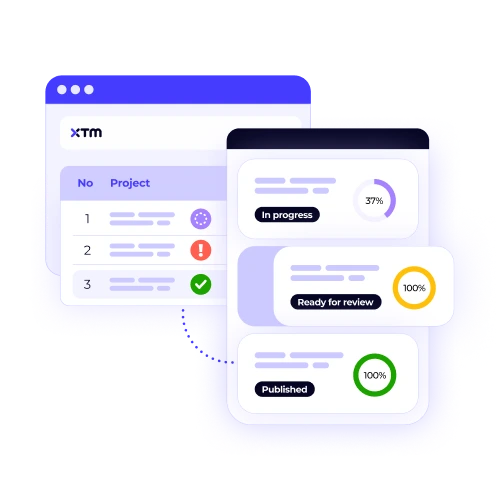
See exactly which files are being translated and when they’ll be ready. Your project managers get full visibility without bothering the development team.
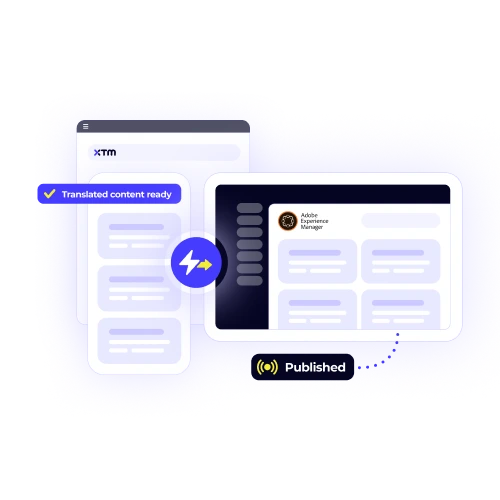
Translated files go straight back to Azure Repos. Deploy multilingual releases without extra steps or manual file handling.
Connect Azure Repos to XTM and automate your entire translation workflow in three simple steps.

Deepak Nagabhushana
Staff Localization Project Manager, GoTo

Dominic Pemberton
VP of Content, RS Group

Alex Katsambas
Senior Head of Localization Services, FARFETCH

Vincent Rigal
CAT Tools Products Owner, Acolad

XTM is a complete translation management platform that connects your content creation tools with professional translation teams.
Coordinate multiple translation projects across different teams and languages from one central dashboard.
Built-in review workflows and quality checks ensure translations meet your standards before they go live.
Project managers, translators, and reviewers work together in real-time with comments and approval systems.
Connect XTM to your existing tools and workflows. We integrate with over 50 platforms and services.
Track translation costs, turnaround times, and team performance with detailed project reports.
Enterprise-grade security with ISO 27001 certification and GDPR compliance built in.


XTM connects to all Azure DevOps repository types, including Git repositories, Team Foundation Version Control (TFVC), and Azure Repos. Both cloud-hosted and on-premises Azure DevOps installations are supported, so you can integrate localisation into your existing development environment without disruption. This flexibility ensures that no matter how your team manages code, documentation, or configuration files, XTM can connect directly and streamline the process of keeping multilingual content up to date.
Yes. You can configure XTM to deliver translated files into specific branches within Azure Repos. Many teams choose to use feature branches for translation or set up dedicated localisation branches. This approach helps keep the main development branch free of ongoing localisation changes while allowing you to test, review, and approve translations before merging them back into your production branch. It gives you full control over version management and release timing.
XTM supports a wide range of localisation file formats commonly used in software and app development. This includes JSON, XML, RESX, properties files, and YAML, along with documentation formats such as Markdown and plain text. By covering both structured code files and content files, the integration ensures your development team can manage all localisation tasks through a single workflow without needing workarounds or manual file conversions.
XTM manages translation updates through separate commits, which helps prevent conflicts with ongoing development work. You can also configure the integration to create pull requests rather than pushing changes directly into a branch. This approach gives your team the ability to review, approve, and merge translation updates using your standard code review process. It ensures transparency and control, while also aligning localisation with your existing development workflows.
Yes. You can configure XTM to monitor your Azure Repos for new or updated files and automatically launch translation workflows whenever changes are detected. You decide which folders or file types should trigger these workflows, so only relevant content is included. This automation reduces manual work, shortens turnaround times, and ensures translations stay aligned with rapid release cycles without requiring constant oversight from your development or localisation teams.
If you move, rename, or reorganise files within your Azure Repos, XTM adapts automatically. The integration updates its monitoring to reflect your new structure while preserving the translation history associated with each file. This means you won’t lose previous work or create duplicate tasks. It gives you flexibility to restructure repositories as projects evolve, knowing your localisation workflows will continue running smoothly without manual reconfiguration or delays.
Security is a core part of the integration. XTM connects to Azure Repos using secure OAuth authentication and encrypted connections. It only accesses the repositories and files you explicitly authorise, ensuring tight control over permissions. All data transfers between platforms use industry-standard encryption protocols. This approach keeps both your source code and your translations secure, while still allowing seamless automation across development and localisation workflows.
Yes. The Azure Repos integration works alongside all of XTM’s other platform connectors. This means you can pull content from multiple sources—including repositories, CMS platforms, PIMs, and cloud services—and manage it all within the same XTM workspace. Having a centralised system simplifies localisation management, reduces duplicated effort, and helps you deliver consistent multilingual content across your software, documentation, and customer-facing platforms simultaneously.
Dig deeper into how XTM delivers faster localization, greater control, and real ROI—so you can make the right call for your team.