Connect your development workflow with the world’s most advanced translation management platform. Sync your code repositories, translate content seamlessly, and push localised updates back to Bitbucket without breaking your development cycle.












The XTM Bitbucket integration eliminates the friction between code updates and content translation. Your development team keeps coding while your localisation runs in parallel.

Every time you push new content to Bitbucket, XTM automatically detects translatable strings and creates translation jobs. No manual uploads or forgotten files.
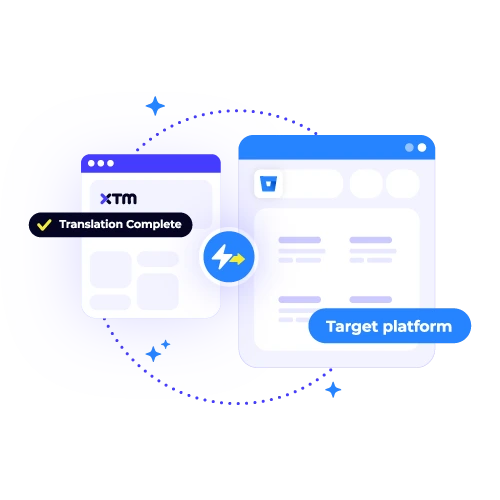
See translation progress directly in your Bitbucket dashboard. Know exactly which languages are ready for deployment and which need more time.
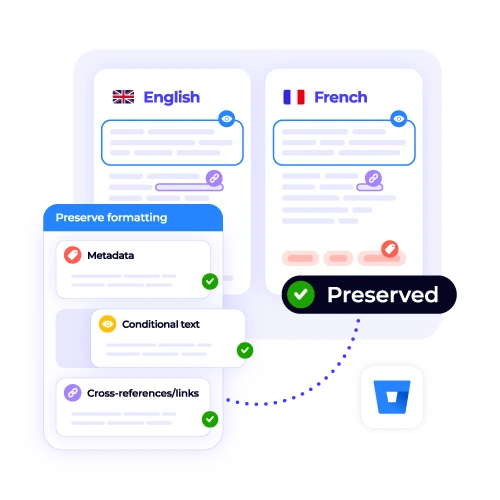
Translated content flows back to your repository automatically. Your file structure stays clean and your development workflow stays uninterrupted.
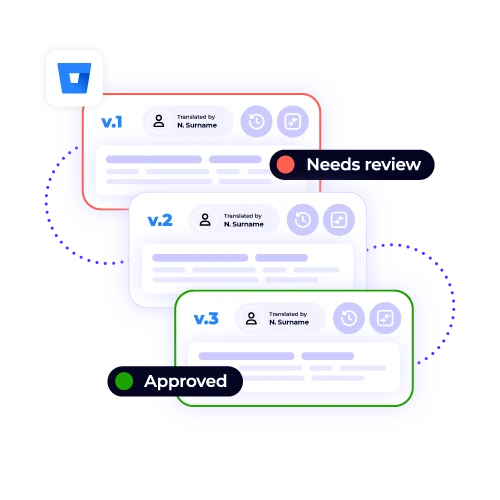
Every translation update creates a proper commit with full version history. Track changes, roll back updates, and maintain complete audit trails.
Set up the XTM Bitbucket plugin in three simple steps and watch your localisation workflow transform.

Deepak Nagabhushana
Staff Localization Project Manager, GoTo

Dominic Pemberton
VP of Content, RS Group

Alex Katsambas
Senior Head of Localization Services, FARFETCH

Vincent Rigal
CAT Tools Products Owner, Acolad

XTM is the translation management system that scales with your business. From small startups to enterprise teams, we handle every part of your localisation workflow.
Organise projects, assign translators, and track progress from one central dashboard.
Built-in review workflows and quality checks ensure every translation meets your standards.
Connect XTM to your existing tools and workflows with 50+ native integrations.
Smart routing, automatic quality checks, and AI-powered suggestions speed up every project.
Real-time comments, approval workflows, and role-based permissions keep everyone aligned.
SOC 2 compliance, single sign-on, and advanced permissions protect your content and data.


Most teams finish setting up the Bitbucket integration in under 10 minutes. You just need admin access to your Bitbucket workspace and an active XTM account. The setup process is straightforward, and if you need any help, our support team is available to guide you through configuration. Once connected, you can begin sending files for translation straight away, with updates flowing back into your repositories automatically without disrupting your normal development work.
The Bitbucket integration supports the most common localisation file formats, including JSON, XML, YAML, RESX, and properties files. If your projects rely on custom file types, these can usually be configured during setup. By covering a wide range of formats, the integration ensures your team can manage all localisation requirements without manual conversion, helping you keep translations consistent across codebases, applications, and documentation stored in your repositories.
Yes, you have full control over which repositories and branches are included in translation workflows. You can also choose which file types should trigger translation jobs. Many teams create separate rules for each project, so translations are only pulled from relevant files and pushed to the correct branches. This flexibility helps keep your localisation process aligned with your development strategy and prevents unnecessary content from entering the workflow.
If you make updates to source files while translations are in progress, XTM tracks the changes in real time. Translators are notified automatically and can adjust their work to match the new content. This means you can continue making urgent fixes or updates without worrying about creating duplicate work or inconsistent results. The system keeps everything synchronised so translated files always reflect your latest source content.
The XTM Bitbucket integration avoids merge conflicts by creating separate commits for translation updates. These commits follow your existing branching strategy, keeping localisation changes organised and separate from development work. You can also configure the system to use pull requests instead of direct pushes, giving your team the chance to review translations before merging them into your main branch. This approach keeps your repositories clean and conflict free.
Yes, you can give different team members access to manage the integration using role-based permissions. This makes it easy to divide responsibilities between developers, localisation managers, and project leads. Some users might configure repositories, while others monitor translation progress or oversee approval workflows. By sharing access, you can keep projects moving quickly without depending on a single administrator to manage every aspect of the integration.
The integration works with both Bitbucket Cloud and Bitbucket Server, including enterprise on-premises deployments. Whether your organisation is cloud-based, running its own servers, or using a hybrid setup, XTM can connect directly with your environment. This flexibility means you can keep your existing development tools and infrastructure in place while still automating and managing localisation projects through the XTM platform.
All XTM customers have access to our technical support team, who are available to help with setup, troubleshooting, and ongoing questions. For enterprise customers, we also provide dedicated integration specialists and guaranteed priority response times. This means you always have the right level of support available, whether you are setting up the integration for the first time or managing localisation across multiple repositories and projects.
Dig deeper into how XTM delivers faster localization, greater control, and real ROI—so you can make the right call for your team.