Streamline your design-to-market workflow with seamless Figma localization. Connect your design files directly to XTM’s translation management platform and ship multilingual products faster than ever.












Transform how you handle multilingual design projects. Our Figma plugin eliminates the tedious back-and-forth between designers and translators.
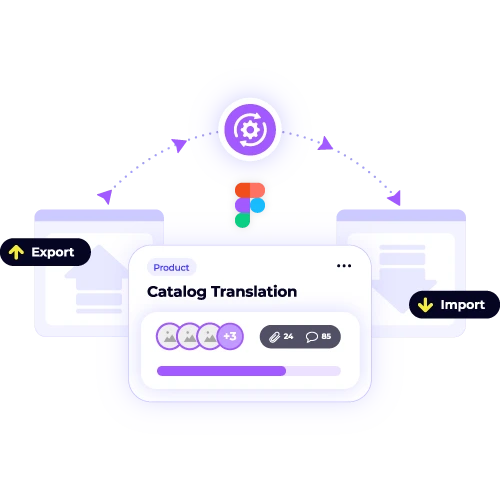
Pull all text content from your Figma designs with one click. No more manual copying or missing strings that delay your launch.
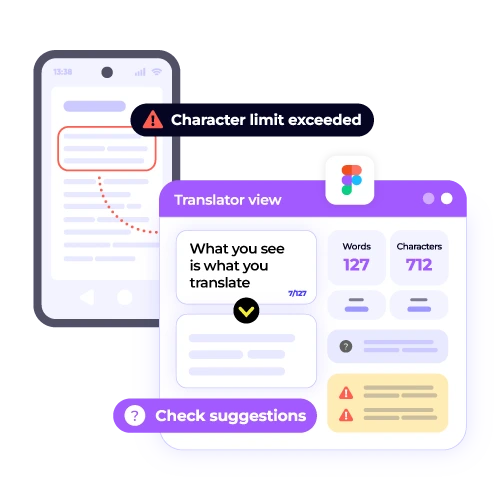
Translators see exactly how text appears in your designs. They understand spacing constraints and make better decisions about word length and phrasing.
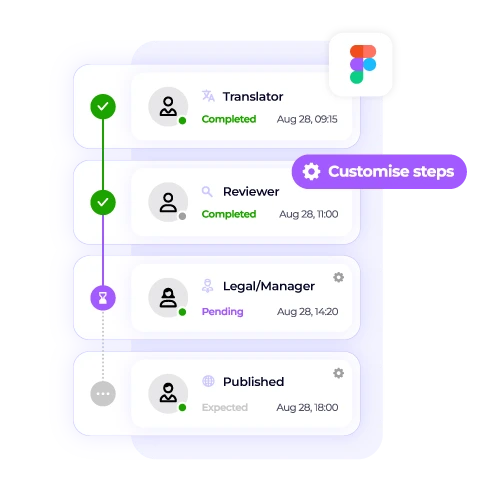
Approved translations flow back into Figma instantly. Your design files stay current without any manual work from your team.
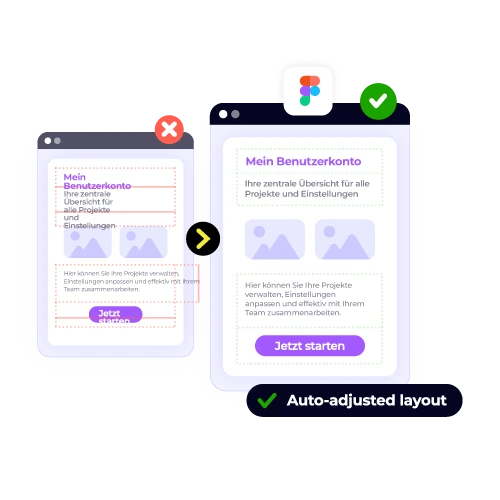
Text expansion and contraction happen within your original design constraints. No more broken layouts or awkward text overflow.
Connect your Figma workspace to XTM in minutes. Here’s exactly what happens when you translate your designs.

Deepak Nagabhushana
Staff Localization Project Manager, GoTo

Dominic Pemberton
VP of Content, RS Group

Alex Katsambas
Senior Head of Localization Services, FARFETCH

Vincent Rigal
CAT Tools Products Owner, Acolad

XTM is the translation management platform that powers global product launches for companies like yours.
Beyond Figma integration, XTM connects your entire content workflow. Translate websites, apps, documentation, and marketing materials from one central hub.
Reuse previous translations automatically
Built-in checks catch errors before they go live
Track progress across all your translation projects
Integrate with 50+ tools your team already uses
Reviewers and approvers work together seamlessly
See translation progress as it happens

The XTM plugin is specifically designed to integrate seamlessly with Figma’s design systems. It has the capability to identify Figma components and design tokens, ensuring that they are effectively managed during the translation process. Once a master component is translated using the plugin, all its instances within your design system are automatically updated. This process ensures consistent translation across your projects, maintaining uniformity in design and functionality without the need for manual adjustments to each instance, saving time and reducing errors.
You have the flexibility to decide precisely what you want to translate, whether it’s individual text layers, specific components, or entire artboards. This means you don’t have to translate entire frames if you only need a part of it translated. The plugin is designed to provide you with complete control over the scope of your translation. You can tailor your translation efforts to meet the specific needs of your project, ensuring precision and efficiency without unnecessary work.
In XTM, translators have access to the visual context of your design and are informed of character limits for each text element. This ensures they can see how the translation will appear in the final layout, allowing them to make informed decisions about text length. Our skilled linguists are adept at optimizing translations to adhere to these spatial constraints while preserving the original meaning and intent of the text. This careful balance ensures your design remains visually appealing and effective, even after translation.
Yes, the Figma integration is designed to seamlessly connect with your existing XTM account. This means you don’t need to set up anything new or start from scratch. Once you connect the plugin, it directly links to your current XTM workspace, ensuring that all your existing translation memories and glossaries are readily accessible. Additionally, your team settings are automatically applied, which guarantees consistency and efficiency in your workflow. This integration helps maintain the accuracy and cohesiveness of your translations across projects.
The plugin is designed to identify and highlight potential text expansion issues before the translation process begins, allowing you to address them proactively. You have the ability to set specific character limits for each text element, ensuring that translators adhere to these constraints during their work. This feature helps maintain consistency and prevents the translated text from exceeding the desired space, which is especially crucial for languages that tend to expand more than English. This ensures a smoother localization process and preserves the intended layout.
Absolutely. The Figma plugin is designed to facilitate seamless collaboration among team members by syncing changes across your entire team in real-time. This means that multiple designers can work on the same project simultaneously without running into any conflicts. Each team member can extract content and receive updates as they happen, ensuring that everyone is always working with the most current version of the project. This real-time collaboration capability helps maintain consistency and efficiency in the design process, making teamwork smoother and more effective.
The Figma localization plugin is designed to integrate seamlessly with Figma’s functionality, supporting all standard Figma text elements. This includes text found within components, which are reusable elements that maintain design consistency, and text within auto-layout frames, which are dynamic containers that adjust to content changes. Additionally, the plugin works with design system tokens, ensuring consistency across various design projects. It’s important to note that vector text and artistic text, which are often used for more stylized effects, are rendered as images within the plugin, rather than editable text elements.
The initial setup of integrating Figma with XTM for translation purposes is a quick and straightforward process, typically taking around 5 minutes. You begin by installing the necessary plugin for Figma. After the installation, you will need to connect your XTM account. This involves logging in and possibly adjusting some settings to ensure seamless integration. Once these steps are completed, you can immediately start translating your Figma designs, enhancing your design workflow with efficient and effective translation capabilities.
Dig deeper into how XTM delivers faster localization, greater control, and real ROI—so you can make the right call for your team.