Connect your GitLab repositories directly to XTM’s translation management platform. Sync source files, manage translations, and push localised content back to GitLab automatically. No manual file transfers, no broken workflows.










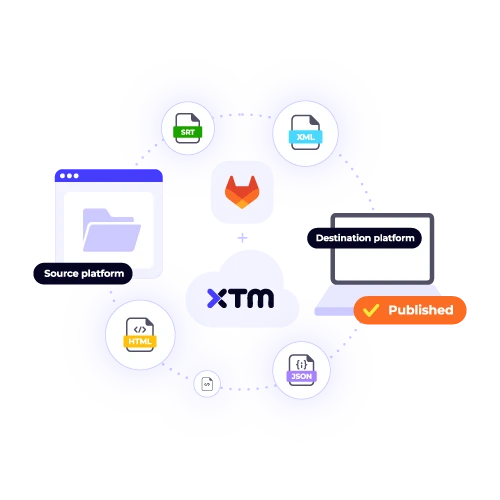
Transform how your development team handles localization. Our GitLab app eliminates the friction between code and content translation.
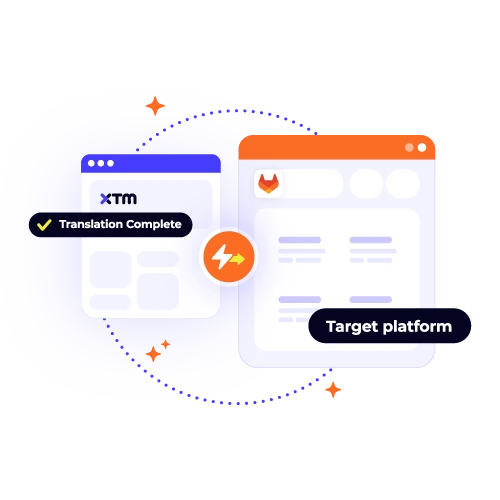
Pull source files from your GitLab repositories automatically. No more manual downloads or version control headaches. Your translators always work with the latest content.
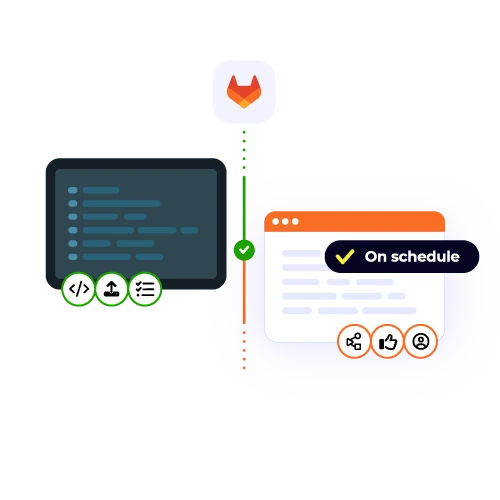
See translation progress without leaving GitLab. Track which languages are ready for deployment and which need attention. Keep your release schedule on track.
Push translated files back to GitLab with a single click. Maintain your existing CI/CD pipeline while adding multilingual support. Deploy localised versions as easily as your source code.
Configure the GitLab plugin in minutes, not hours. Our integration works with your existing branch structure and doesn’t disrupt your development workflow.
Connect your repositories to XTM and automate your entire localization process in three simple steps.

Deepak Nagabhushana
Staff Localization Project Manager, GoTo

Dominic Pemberton
VP of Content, RS Group

Alex Katsambas
Senior Head of Localization Services, FARFETCH

Vincent Rigal
CAT Tools Products Owner, Acolad

XTM is a complete translation management platform that connects to your favourite development tools. Beyond GitLab integration, we help teams translate websites, mobile apps, documentation, and marketing content.
Reuse previous translations to maintain consistency and reduce costs.
Automated checks catch errors before they reach your users.
Set up approval processes that match your team structure.
Translators, reviewers, and project managers work together seamlessly.
Track translation costs, timelines, and quality metrics.
Connect XTM to your entire tech stack with 40+ native integrations.

Setting up the GitLab integration is typically a quick process that most teams can finish in under 10 minutes, making it both efficient and straightforward. To begin, you need to ensure you have administrative access to your GitLab repository, as well as an active XTM account. The integration is streamlined by our user-friendly setup wizard, which provides clear, step-by-step instructions to assist you throughout the entire process, ensuring that even those new to integrations can easily follow along and complete the setup smoothly.
GitLab’s app integration supports a wide range of file formats, including JSON, YAML, and properties files. It also works seamlessly with Markdown files, ensuring flexibility in managing documentation and code comments. Additionally, GitLab’s integration is equipped to handle over 40 other file formats, providing extensive compatibility for diverse data structures and content types. This robust support system allows GitLab to automatically detect translatable content in your repository, streamlining workflows and enhancing collaboration across different programming environments and documentation needs.
Yes, our integration is designed to accommodate both GitLab.com, the cloud-based service, and self-hosted GitLab instances, which you might be running on your own servers. This flexibility ensures that you can leverage the plugin regardless of your GitLab hosting choice. What’s particularly convenient is that the setup process is identical for both environments, allowing you to follow the same straightforward steps whether you’re using GitLab online or managing an internal server, ensuring a seamless experience across both platforms.
XTM imports your existing translation files and constructs a comprehensive translation memory from them. This process effectively preserves the hard work you’ve already put into past translations by storing them in a centralized, accessible database. By building a translation memory, XTM ensures that the nuances and terminologies you previously established are retained, thereby fostering consistency across any new translation projects you undertake. This not only saves time but also enhances the quality and uniformity of future translations, providing a seamless transition to using XTM.
The GitLab plugin is included at no extra cost with every XTM plan, meaning you can access this integration without worrying about additional fees. You will only be charged for the translation services you utilize, which are calculated based on the word count and the specific language pairs involved in your projects. This straightforward approach ensures that you can seamlessly integrate GitLab into your workflow while maintaining control over your translation costs, with no hidden fees for the integration itself.
Yes, multiple team members can access the GitLab integration by assigning appropriate roles such as developers, project managers, and translators. This ensures that each team member can view and interact with the information most relevant to their responsibilities, enhancing productivity and maintaining focus. Developers can track code changes, project managers can monitor project timelines and milestones, and translators can access the content they need for translation tasks. By customizing access, the workspace remains uncluttered, allowing each role to concentrate on their specific duties without unnecessary distractions.
No, the integration with XTM is designed to be efficient and non-intrusive, ensuring that your GitLab repository performance remains unaffected. It establishes lightweight connections that are specifically optimized to prevent any strain on your system’s resources. File syncing occurs seamlessly in the background, allowing for continuous updates and management without interfering with your active development tasks. As a result, your workflow remains smooth and uninterrupted, maintaining the speed and responsiveness you expect from GitLab during regular operations.
Our support team is dedicated to assisting all customers with the GitLab integration setup by offering free setup assistance. Whether you are new to GitLab or simply need some guidance, our knowledgeable team is here to help ensure a smooth integration process. Additionally, we provide a comprehensive range of resources, including detailed video tutorials and extensive documentation, to help you understand each step of the setup process. These resources are designed to help you get started quickly and effectively, allowing you to maximize the benefits of GitLab integration.
Dig deeper into how XTM delivers faster localization, greater control, and real ROI—so you can make the right call for your team.