Transform your translation workflow with our seamless Google Drive integration. Connect your cloud storage directly to XTM’s powerful translation management platform and streamline how your team handles multilingual content. No more manual file transfers, version confusion, or workflow bottlenecks.











Say goodbye to manual file transfers and hello to automated translation workflows. Our Google Drive integration connects your cloud storage directly to XTM’s translation platform.
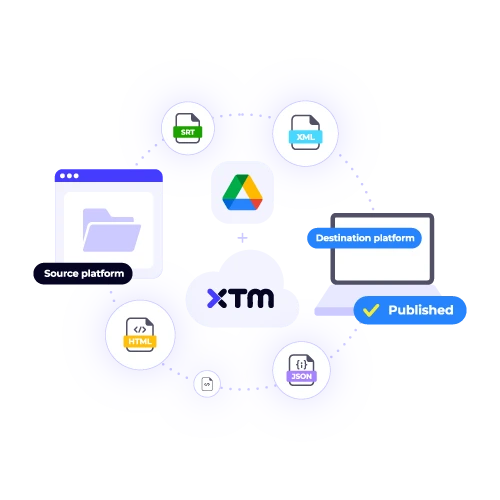
Your Google Drive files sync automatically with XTM projects. Upload a document to Drive and watch it appear in your translation queue instantly. No manual importing required.
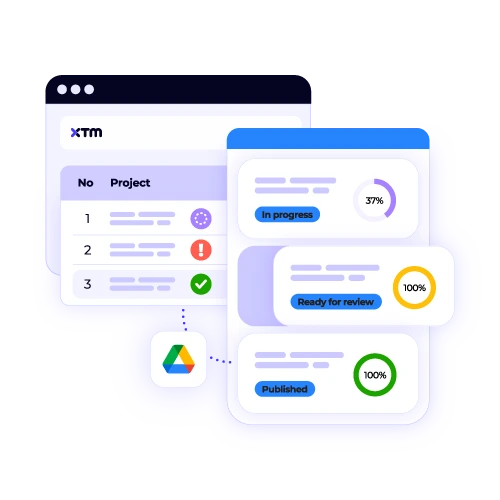
Your team can work on translations whilst files stay connected to Google Drive. Changes sync back automatically, keeping everyone on the same page without version control headaches.
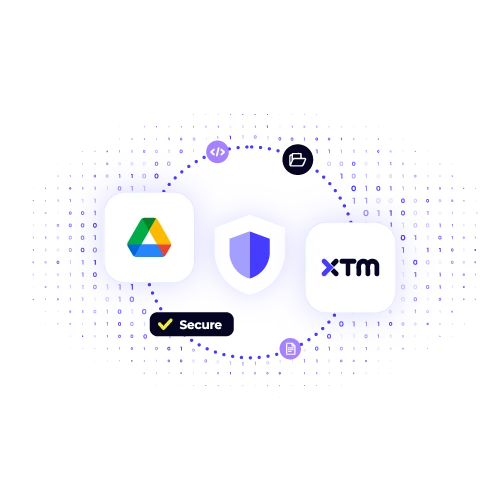
All file transfers happen through encrypted connections. Your sensitive documents stay protected whilst moving between Google Drive and XTM’s secure translation environment.
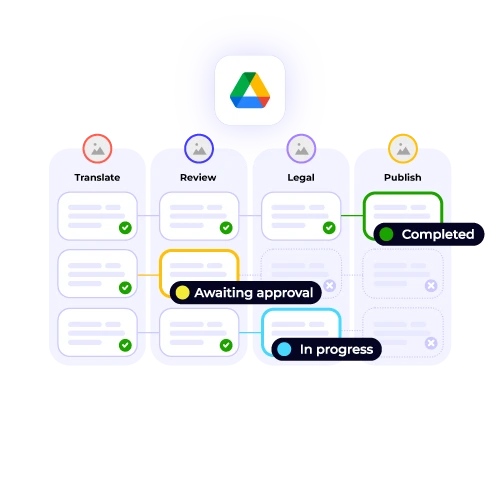
Choose which folders sync, set automatic triggers, and customise how files move through your translation pipeline. You control every step of the process.
Connect Google Drive to XTM in three simple steps. Our Google Drive plugin makes the entire process automatic and secure.

Deepak Nagabhushana
Staff Localization Project Manager, GoTo

Dominic Pemberton
VP of Content, RS Group

Alex Katsambas
Senior Head of Localization Services, FARFETCH

Vincent Rigal
CAT Tools Products Owner, Acolad

XTM is the translation management platform that makes multilingual content simple for global teams.
Handle projects from brief to delivery with automated workflows, quality checks, and progress tracking.
Connect translators, reviewers, and project managers in one platform with real-time updates and communication tools.
Built-in QA checks catch errors before they reach your audience, ensuring consistent quality across all languages.
Connect XTM to your existing tools and platforms for seamless content workflows that fit your current processes.
Track project performance, team productivity, and translation costs with detailed reporting and insights.
Bank-grade security, compliance certifications, and data protection keep your content safe throughout the translation process.


The integration between Google Drive and XTM allows you to seamlessly connect your designated Drive folders directly to your XTM translation projects. This means that whenever you upload files to these specified folders in Google Drive, they automatically appear in XTM, ready for translation without any additional effort on your part. Once the translations are completed in XTM, they are automatically synced back to your Google Drive, eliminating the need for manual downloading or uploading, thus ensuring a smooth and efficient workflow.
Yes, you have full control over which folders connect to XTM, allowing you to tailor your workspace to suit your needs effectively. You can set up specific folders dedicated to different projects, languages, or content types, ensuring your documents are organized efficiently. This flexibility means you can prioritize and manage your workflow seamlessly. Additionally, if your requirements change, you can easily modify these settings anytime through the XTM dashboard, offering you the ability to adapt quickly and maintain an optimized workflow.
Absolutely. Your Google Drive data is highly secure during translation. All file transfers are conducted over encrypted connections, ensuring that your data is protected from unauthorized access. Furthermore, your data never leaves secure servers, providing an additional layer of security. XTM, the platform handling the translation, upholds enterprise-grade security standards. It is certified with ISO 27001, which is an internationally recognized standard for information security management. Additionally, XTM complies with SOC 2, which ensures the protection and confidentiality of client data.
The Google Drive plugin is designed to support a broad range of file formats, ensuring seamless compatibility and ease of use for various types of content. This integration accommodates all major document formats such as Microsoft Word, Excel, and PowerPoint, allowing users to work with familiar office files. Additionally, it supports PDF and text files, which are commonly used for sharing information. Beyond these, the plugin can manage image files that have text overlays, facilitating the use of media-rich documents, and it can also handle HTML content, enabling web-based file interactions.
Certainly, multiple team members can access the same Google Drive integration. You have the flexibility to grant access while maintaining specific permission controls. This means you can set different levels of access tailored to the roles within your team, such as translators, reviewers, and project managers. Each role can be assigned appropriate permissions that suit their responsibilities, ensuring smooth collaboration and workflow management. This approach helps in organizing tasks efficiently while safeguarding sensitive information, thereby enhancing both productivity and security within your team.
File synchronization between Google Drive and XTM usually occurs within minutes after the files have been uploaded. However, the time it takes can vary depending on the size and number of files being uploaded. Larger files or batches of files may require additional time to fully synchronize, due to the higher data load and processing involved. Once the synchronization process is finished, you’ll receive notifications confirming the completion of the sync, ensuring you’re informed when your files are ready for use in XTM.
Yes, the Google Drive translation plugin functions seamlessly with both personal Google Drive accounts and Google Workspace business accounts. This ensures that whether you’re using Google Drive for individual use or as part of a business setup through Google Workspace, the plugin will operate effectively. Enterprise features are designed to function smoothly across both types of accounts, offering a consistent experience. This means all translation capabilities, including any advanced or enterprise-specific features, are fully supported, ensuring you can rely on the plugin for both personal and professional translation needs.
Certainly! You can easily set up automatic translation workflows with Google Drive. Start by configuring automatic triggers that initiate translation processes as soon as new files are added to designated folders in your Drive. This ensures that translations begin immediately without manual intervention. Furthermore, you can streamline the process by setting up approval workflows where necessary, assigning specific translators to handle the tasks, and defining destination folders for completed translations. This automation not only saves time but also enhances efficiency in document management.
Dig deeper into how XTM delivers faster localization, greater control, and real ROI—so you can make the right call for your team.