Sync your RSuite content with XTM’s translation management platform in minutes. Connect your design system components to professional translators and get multilingual content back without breaking your workflow.











Turn your component library into a multilingual powerhouse. XTM’s RSuite integration removes the friction from translating design system content.
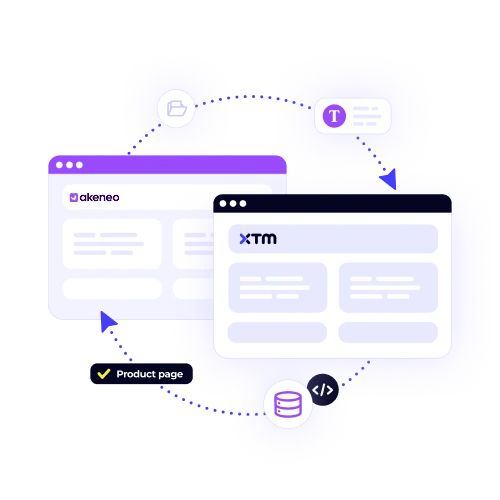
Pull text strings directly from your RSuite components. No more copying and pasting content between platforms or losing track of what needs translation.
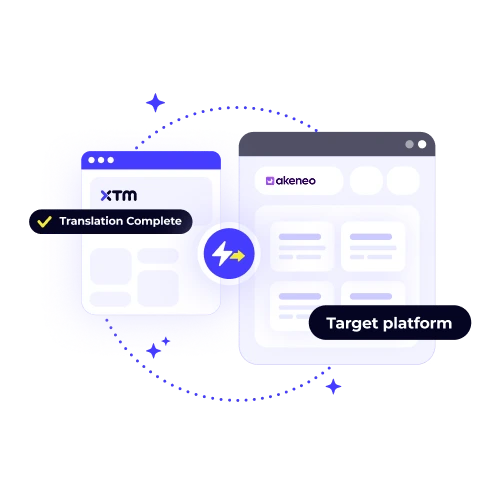
See translation progress as it happens. Your team knows exactly when multilingual content is ready to push back to RSuite.

Keep your component naming and structure intact across all languages. Translators work within your established design patterns.
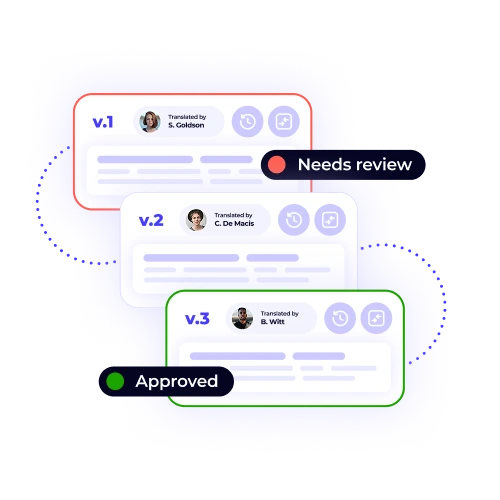
Track every change and update. Roll back translations or compare versions without disrupting your development cycle.
Connect your RSuite workspace to XTM in three simple steps. Your content flows seamlessly between platforms while you focus on building great products.

Deepak Nagabhushana
Staff Localization Project Manager, GoTo

Dominic Pemberton
VP of Content, RS Group

Alex Katsambas
Senior Head of Localization Services, FARFETCH

Vincent Rigal
CAT Tools Products Owner, Acolad

XTM is the translation management platform that scales with your business. Beyond RSuite integration, we handle every aspect of your localisation workflow.
Save time and reduce costs with intelligent translation reuse. Never translate the same content twice.

The RSuite integration setup is typically quick and efficient, with most teams completing it within just 15 minutes. To facilitate a smooth process, you’ll need to ensure you have administrative access to both your RSuite workspace and your XTM account. This access is crucial for configuring settings and establishing connections. Our user-friendly setup wizard is designed to guide you through each necessary step, providing clear instructions and support to help you successfully integrate the systems without any hassle.
Yes, you have complete control over what content gets sent for translation within RSuite. You can selectively choose specific components, individual text strings, or even entire libraries to be translated according to your needs. This flexibility allows you to focus on translating only the necessary elements, optimizing both time and resources. Additionally, you can establish automatic rules and workflows for future content, ensuring that new material is sent for translation as per your predefined criteria, thus streamlining the process and maintaining consistency.
During the translation process, the structure of your RSuite component remains unchanged. This means that the hierarchy, or the way your components are organized, is preserved exactly as it is. Translators focus solely on the text content within these components. They work meticulously to ensure that all metadata, naming conventions, and the organizational structure remain intact and unaltered. This careful attention to detail ensures that the translated content integrates seamlessly into your existing setup, maintaining the consistency and integrity of your component framework.
Translators operate within XTM’s dedicated translation environment, which is designed to facilitate their work by providing visual context for your components. This means that while they do not have direct access to your RSuite workspace, they are still able to see enough of the design layout to understand how the text they are translating fits into your overall project. This visual context is crucial for ensuring accuracy and consistency in translation, as it helps translators grasp the intended use and placement of the text within your design.
XTM provides automatic notifications to inform you when translations are complete, ensuring you are promptly updated. Additionally, you can monitor real-time progress through your dashboard, which offers a clear view of the status and updates of your translation projects. To enhance communication within your team, you have the option to set up Slack or email alerts, keeping everyone informed and synchronized with the translation process. This comprehensive system ensures that you are always aware of the current state and completion of your translations.
Certainly! You have the capability to establish approval workflows, allowing you to review translations thoroughly before they are sent back to your component library within RSuite. This process ensures that the translations meet your standards and expectations. Additionally, you can actively engage with translators by requesting revisions or providing specific feedback. This interaction helps refine the translations further and ensures greater accuracy and quality. Taking these steps enables a collaborative approach to translation management, enhancing overall results and satisfaction.
XTM is equipped with a feature that automatically tracks any changes made to content versions. If you make updates to the source content after it has been sent out for translation, the system will alert you to any potential conflicts that might arise from these changes. This notification ensures that you are aware of discrepancies between the original content and the updated version. With this information, you can make informed decisions on how to handle these conflicts, ensuring that your translations remain accurate and up-to-date.
Yes, translated components seamlessly integrate with your existing RSuite version control workflow, ensuring an organized and efficient management of your documents. Each language variant is capable of maintaining its own detailed version history, which is crucial for tracking changes and updates over time. At the same time, these variants remain consistently linked to the original source component, providing a cohesive and synchronized system. This integration facilitates easy access and management of multilingual content while preserving the integrity and traceability of each version.
Dig deeper into how XTM delivers faster localization, greater control, and real ROI—so you can make the right call for your team.