Streamline your translation workflow by connecting SDL Trados Studio with XTM’s cloud-based translation management system. Get faster project delivery, better quality control, and seamless collaboration between translators and project managers.









Connect SDL Trados Studio with XTM to eliminate manual file transfers and reduce project turnaround times by up to 40%.
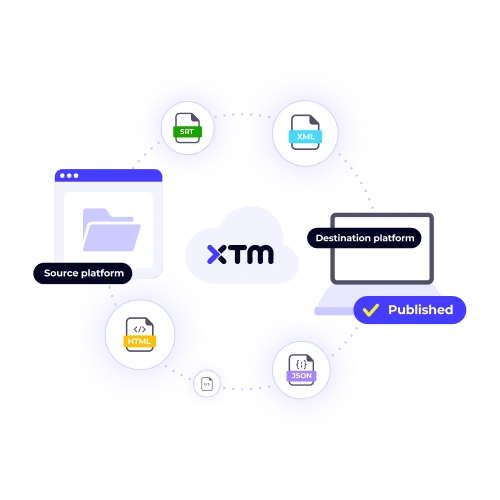
Keep your translation memories and terminology databases perfectly aligned across both platforms. No more manual uploads or version conflicts to slow down your projects.
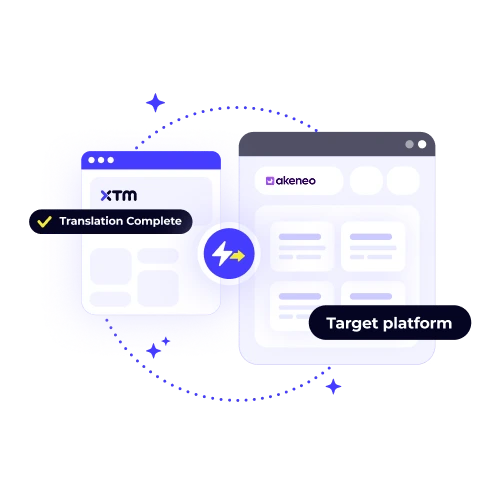
Monitor translation progress, quality scores, and delivery timelines from a single dashboard. Your project managers get complete visibility without switching between tools.
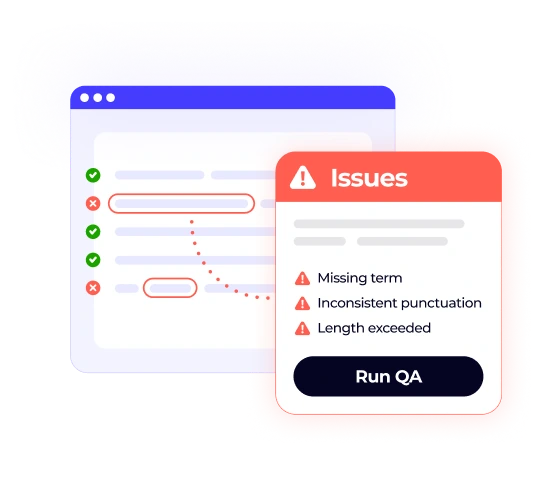
Apply consistent quality checks and review processes across all your SDL Trados Studio projects. Catch errors early and maintain brand consistency at scale.
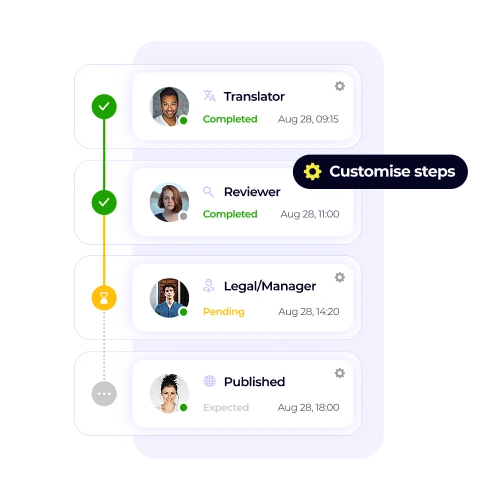
Connect translators using SDL Trados Studio with reviewers and project managers in XTM. Everyone works from the same source of truth.
Transform your translation process with three simple steps that connect your favourite CAT tool to XTM’s powerful project management features.

Deepak Nagabhushana
Staff Localization Project Manager, GoTo

Dominic Pemberton
VP of Content, RS Group

Alex Katsambas
Senior Head of Localization Services, FARFETCH

Vincent Rigal
CAT Tools Products Owner, Acolad

XTM is the translation management platform that connects your entire localisation workflow.
Beyond SDL Trados Studio integration, XTM offers complete project management, vendor coordination, and quality assurance tools that scale with your business.
Coordinate complex multilingual projects with automated workflows, deadline tracking, and resource allocation tools.
Access over 5,000 certified translators and reviewers, or manage your existing translation teams through one platform.
Built-in quality checks, linguistic review tools, and customisable approval workflows ensure consistent output quality.
Share project progress, preview translations, and collect feedback through secure client portals and review interfaces.
Track project performance, cost analysis, and team productivity with detailed reporting and business intelligence tools.
Integrate with your existing tech stack through robust APIs and pre-built connectors for popular business applications.

Setting up the SDL Trados Studio integration is a quick and straightforward process that most users can complete in about 15 minutes. We provide a comprehensive step-by-step guide that will guide you through connecting your SDL Trados Studio license with your XTM account, ensuring a seamless integration experience. In addition, if you encounter any issues or have questions during the setup process, our dedicated support team is readily available to assist you and ensure everything runs smoothly, making the transition as effortless as possible.
The integration will not impact your existing SDL Trados Studio projects. It is designed to establish a seamless connection between different platforms while leaving your current SDL Trados Studio installation and project files untouched. You can rest assured that the integration functions independently, ensuring that all your project data remains secure and intact. This approach allows you to continue working on your projects without any disruption, maintaining the integrity of your files and the workflow you are accustomed to.
Yes, multiple translators can indeed use SDL Trados Studio to work on the same XTM project simultaneously. They can handle different language pairs or segments without interfering with each other’s work. XTM’s sophisticated task management system ensures that work is evenly distributed among the translators and prevents any overlapping or conflicts. This ensures that each translator can remain in their familiar SDL Trados Studio environment, using their preferred tools and settings, while XTM coordinates the workflow seamlessly in the background.
During the integration process, your translation memories sync bidirectionally between SDL Trados Studio and XTM. This means that any updates, additions, or changes made in one platform are automatically reflected in the other, ensuring that both systems are always up-to-date with the latest translation data. This seamless synchronization guarantees that your translation memories remain consistent and accurate, regardless of which platform you are using at any given time. As a result, you can maintain a streamlined and efficient workflow, minimizing the risk of discrepancies or errors in your translation projects.
To set up the integration, you will require administrative access to your XTM account, as this is necessary to configure the settings and ensure seamless operation. Additionally, you must possess a valid SDL Trados Studio license, as this software is integral to the integration process. If you encounter any issues obtaining these permissions, most corporate IT departments are equipped to assist and can typically grant the required access within one business day. This ensures that your setup process is efficient and minimally disruptive.
The SDL Trados Studio integration comes as a standard feature with all XTM Professional and Enterprise plans, meaning you do not have to pay extra to access it. If you already have an SDL Trados Studio license, you can connect it to XTM without incurring any additional costs. This seamless integration is designed to enhance your translation workflow without affecting your budget, allowing you to fully utilize both platforms to streamline your localization processes efficiently and without hidden charges.
Yes, you can track translation progress without logging into SDL Trados Studio by using XTM’s dashboard. This tool provides real-time progress updates for all projects connected to SDL Trados Studio, allowing project managers to monitor the status and advancement of translations easily. The dashboard is designed to offer a comprehensive overview, ensuring that project managers maintain complete visibility over their projects. This means they can keep track of deadlines, manage resources effectively, and make informed decisions without needing direct access to SDL Trados Studio themselves.
Our technical support team is fully equipped to offer dedicated assistance for both integration setup and troubleshooting. Should you encounter any issues during the integration process, rest assured that we are here to help. Our team possesses the expertise to address complex technical challenges and is committed to ensuring a smooth integration experience. For enterprise customers, we offer priority support, ensuring that your concerns are addressed promptly with guaranteed response times. Additionally, enterprise clients benefit from dedicated account management, providing personalized guidance and support tailored to your specific needs.
Dig deeper into how XTM delivers faster localization, greater control, and real ROI—so you can make the right call for your team.