Connect your TBX workflows to XTM’s translation management platform and streamline your localisation process. Sync translation memories, leverage existing linguistic assets, and maintain consistency across all your multilingual content.












Transform how you handle terminology management and translation workflows with our native TBX integration.
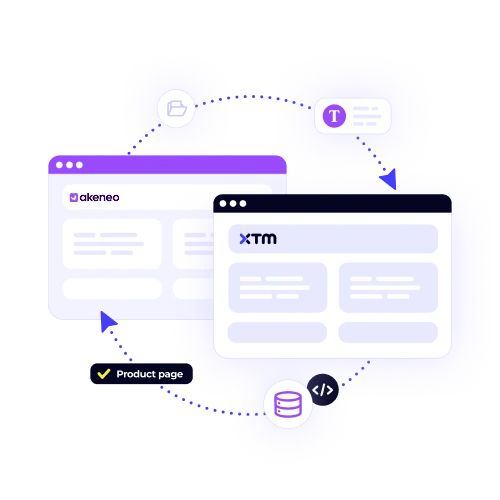
Import and sync your TBX files directly into XTM. Keep your terminology consistent across all translation projects without manual uploads or version control headaches.
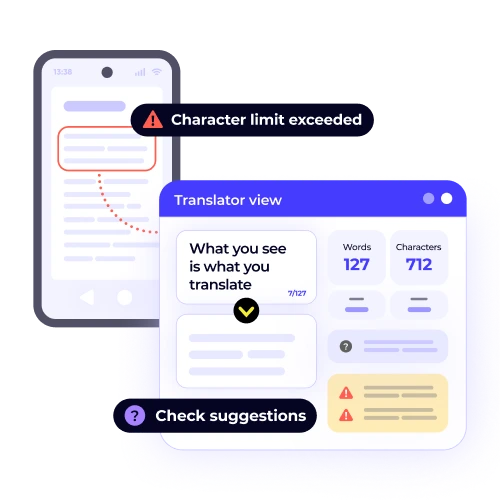
Your years of terminology work don’t go to waste. XTM reads your TBX files and applies approved terms automatically during translation, saving time and improving quality.

Ensure translators use the right terms every time. Your TBX integration means brand-specific terminology stays consistent across markets, languages, and content types.

Reuse approved terminology from your TBX files. Translators work faster when they have access to pre-approved terms, which means lower costs and quicker turnaround times.
Connect your TBX terminology databases to XTM in three simple steps.

Deepak Nagabhushana
Staff Localization Project Manager, GoTo

Dominic Pemberton
VP of Content, RS Group

Alex Katsambas
Senior Head of Localization Services, FARFETCH

Vincent Rigal
CAT Tools Products Owner, Acolad

XTM is a cloud-based translation management system that handles everything from project setup to final delivery.
Store and reuse previous translations to maintain consistency and reduce costs across all your multilingual content.
Built-in QA checks catch errors before they reach your customers. Spelling, grammar, and terminology validation happens automatically.
Set up custom workflows that match your business processes. Route content to the right linguists and stakeholders without manual intervention.
Teams work together seamlessly with live editing, comments, and approval workflows that keep projects moving forward.
Connect XTM to your existing content management systems, design tools, and business applications through our extensive API library.
Bank-level security with ISO 27001 certification, GDPR compliance, and SOC 2 Type II validation keeps your content protected.


XTM is equipped to support a variety of TBX formats, catering to different user needs. It includes standard TBX formats such as TBX-Basic, TBX-Default, and TBX-Min, ensuring compatibility across essential terminological data structures. Additionally, XTM provides the flexibility to handle custom TBX schemas, allowing users to define their own terminological frameworks. This is achieved through appropriate mapping configuration, which facilitates seamless integration and effective management of terminological data tailored to specific requirements. XTM’s comprehensive support enhances terminological consistency and interoperability.
Yes, you can update your TBX files anytime after importing them into XTM. The platform is designed to facilitate easy updates and synchronization of changes automatically. When you make modifications to the terminology within your TBX files, XTM ensures that these changes are seamlessly integrated across all active projects. This means that your terminology resources stay up-to-date without causing any disruptions to ongoing translations. Consequently, the consistency and accuracy of translations are maintained, enhancing the overall efficiency of your translation process.
The integration significantly enhances translation quality by ensuring that translators consistently apply approved terminology throughout the translation process. This is achieved by leveraging the capabilities of XTM, which actively monitors and flags any instances of inconsistent term usage. When a discrepancy is detected, XTM provides translators with suggestions for corrections that are directly drawn from your TBX database. This ensures that the translation adheres to your organization’s established terminology standards, ultimately leading to a more accurate and coherent final product.
When you import TBX files into your XTM terminology database, your existing terminology remains unchanged and intact. The import process is designed to add new entries to your current database rather than replacing or overwriting the existing data. This means that all your previously stored terms will still be available and usable. Furthermore, you have the flexibility to manage your terminology database in various ways: you can merge the imported data with the existing entries, set priorities for different terms, or maintain separate databases if that suits your requirements better. This ensures that your terminology management remains efficient and customizable to your needs.
Absolutely. Once imported, your TBX terminology becomes available to all authorized team members, ensuring that everyone who needs access can use the shared resources efficiently. You can manage and control access permissions through XTM’s user management system, which provides you with a range of options to customize who can view or edit the terminology. By assigning specific roles and permissions, you ensure that each team member has the appropriate level of access, maintaining security and collaboration within your team. This centralized management helps streamline workflows and ensures consistency in the use of terminology across projects.
The TBX integration seamlessly works with XTM’s quality assurance features to ensure consistent and accurate translations. When you incorporate TBX terminology rules into your translation projects, the QA checks actively monitor the use of terminology. The system diligently flags any instances where translators use terms that are not approved or violate the guidelines set in your TBX files. This proactive approach helps maintain high-quality translations by ensuring that all terminology adheres to the established standards and guidelines, ultimately enhancing the overall translation process.
The speed at which XTM processes large TBX files is influenced by both the size and the complexity of the files. Generally, TBX files that are under 10MB are processed swiftly, typically within a few minutes. However, if you are dealing with larger databases, the processing time may extend beyond this. Despite the potential for longer processing times, XTM efficiently imports these files in the background. This ensures that you can continue with your other tasks without any disruption, maintaining your workflow seamlessly.
Yes, XTM allows you to export terminology to standard TBX formats, which is highly beneficial for several reasons. Firstly, it enables you to easily share your approved terms with external partners, ensuring consistency and clarity in communication across different teams or organizations. Additionally, by exporting your terminology to TBX, you can regularly back up your terminology databases, safeguarding against data loss and ensuring that your valuable linguistic resources are preserved and accessible for future use. This functionality enhances collaboration and data security.
Dig deeper into how XTM delivers faster localization, greater control, and real ROI—so you can make the right call for your team.