Connect your TMX translation memories directly to XTM’s powerful translation management platform. Sync your existing assets, streamline workflows, and get projects done faster with seamless data exchange between both systems.












Bridge the gap between your translation memories and modern project management. This integration brings your TMX assets into XTM’s collaborative workspace.
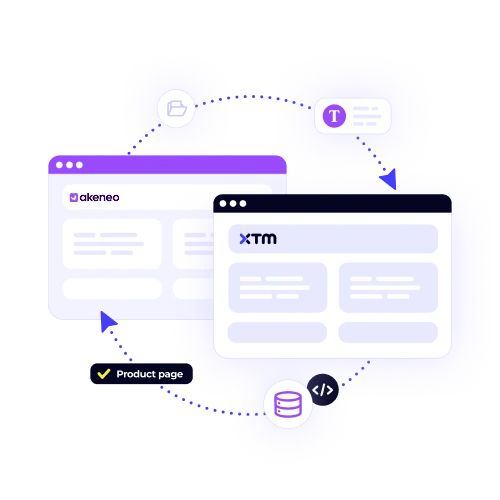
Upload and sync your TMX files automatically. No manual imports or exports needed. Your translation memories stay current across both platforms without extra work.
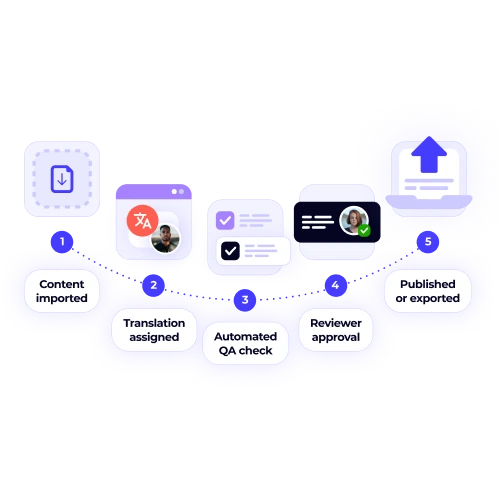
Leverage existing translations immediately. XTM pulls matches from your TMX memories during translation, cutting project time by up to 60%.
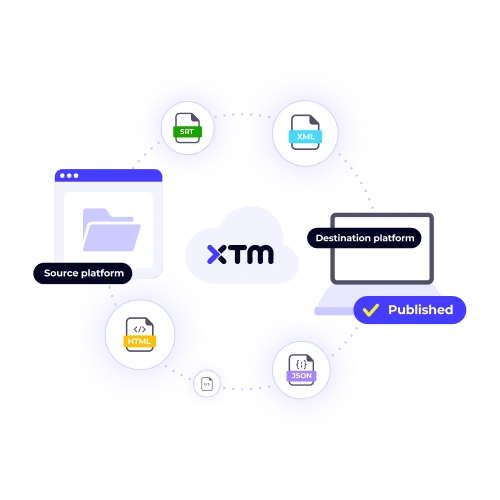
Every translation gets saved back to your TMX files. Nothing disappears. Your memories grow stronger with each completed project.
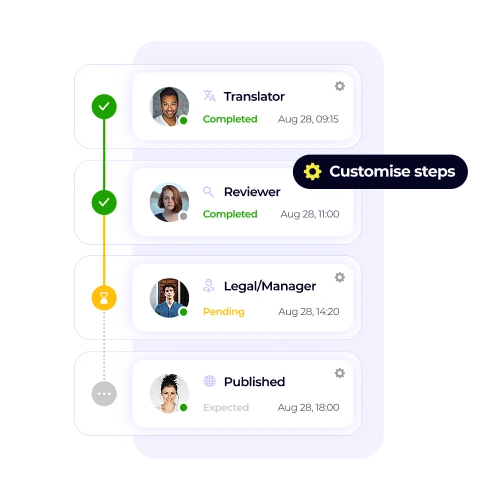
Share TMX memories across translator teams instantly. Everyone works with the same terminology and approved translations from day one.
Set up your TMX integration in three simple steps. Your translation memories will sync with XTM’s workflow engine automatically.

Deepak Nagabhushana
Staff Localization Project Manager, GoTo

Dominic Pemberton
VP of Content, RS Group

Alex Katsambas
Senior Head of Localization Services, FARFETCH

Vincent Rigal
CAT Tools Products Owner, Acolad

XTM is a complete translation management platform that handles projects from start to finish.
Plan, assign, and track translation projects across teams and deadlines.
Built-in review workflows catch errors before content goes live.
Set up rules that move projects through stages without manual intervention.
Translators, reviewers, and project managers work together in one system.
Customers track progress and approve translations through branded interfaces.
See project performance, team productivity, and cost breakdowns in real-time.


XTM supports TMX file formats, specifically TMX 1.4 and TMX 2.0, which are considered standard in the translation industry. These formats are widely used and most translation tools are capable of exporting files that are compatible with these standards. Should you have any doubts about whether your specific TMX file format will work with XTM, our dedicated support team is available to assist you. They can review your TMX files to ensure compatibility, providing peace of mind before you begin your translation projects.
Most customers are able to complete the TMX integration setup process in under 30 minutes. This quick setup time is due to the streamlined nature of our integration process. However, if you have large TMX files, you might experience longer upload times, but rest assured that the actual configuration remains quick and efficient. Throughout the setup, our dedicated onboarding team is available to guide you through each step, ensuring that you have a smooth and successful integration experience, addressing any questions or concerns you might have.
Certainly! You can indeed connect multiple TMX files when using XTM. Each TMX file is treated as its own distinct translation memory, allowing you to maintain organized language data. This flexibility is advantageous as it enables the management of various translation projects simultaneously. Within XTM, you have the ability to set priorities for these translation memories, which allows you to choose the order in which the system checks these memories during the translation process. This prioritization helps streamline workflow and ensures that the most relevant translations are accessed first, enhancing efficiency and accuracy.
XTM ensures that your original TMX files remain unaltered unless you provide explicit permission for changes. This means you have full control over whether any modifications occur. If you decide to integrate new translations, XTM offers an option to update your translation memories with these additions. However, this process is entirely optional and at your discretion. You have the power to determine exactly what information gets saved back into your files, ensuring your data remains secure and as you intend.
XTM thoroughly validates TMX files when you upload them, ensuring that any errors or inconsistencies are promptly identified and reported. In many cases, the issues found can be automatically fixed by the system, allowing you to continue your work with minimal disruption. However, if you encounter more complex problems that cannot be resolved automatically, our dedicated support team is available to assist you. They work closely with you to troubleshoot and resolve these issues, providing this service at no extra cost, ensuring your files are in perfect condition.
XTM’s desktop editor is designed to facilitate offline translation work by downloading the relevant Translation Memory eXchange (TMX) segments directly to the user’s local device. This means that translators can continue to access and utilize these pre-existing translation matches even when they are not connected to the internet. As they work offline, they can seamlessly apply these matches to their translation tasks. Once the internet connection is re-established, any changes or updates made by the translator are automatically synchronized back to the central system, ensuring that all modifications are captured and up-to-date.
The cost of TMX integration is already covered in all XTM plans, so you do not need to worry about any extra charges specifically for connecting your translation memories. This means that whether you have a basic or premium plan, TMX integration is part of the package. The only expenses you will incur are related to the number of active translator licenses you require and the volume of projects you manage. Therefore, your budgeting can focus on these aspects without concern for hidden integration fees.
XTM can process TMX files up to a maximum size of 2GB each. If you have files that exceed this limit, you can split them into smaller segments to fit within the size restrictions. For enterprise customers, XTM offers higher limits and tailored import options to accommodate larger files as part of their service package. This means that enterprises can handle bigger TMX files without splitting, ensuring efficient and seamless translation management for extensive projects.
Dig deeper into how XTM delivers faster localization, greater control, and real ROI—so you can make the right call for your team.